
Research-based comparison, not a hands-on test. Original technical research: October 30, 2026. US Black Friday prices rechecked November 12, 2026; stock, cart discounts and regional prices may vary.
For Black Friday 2026, Snapmaker’s official US sale lists the U1 at $699 (was $999), while the Flashforge Creator 5 Pro is listed at $749 (was $949): a $50 difference between displayed printer prices. The Creator 5 Pro now displays $749 on Flashforge’s official US product page (November 20); the earlier separate $100 in-cart promotion is not shown on that page. ShopMy checkout pricing may differ. The comparison changes if you expect to print ABS, ASA, or reinforced nylon. The U1 may need an optional cover and other material-specific parts; the Pro already includes an actively heated chamber. [3][4][2]
Which configuration fits your filaments and budget?
Quick Verdict
Lean toward the Snapmaker U1 for everyday multicolor PLA/PETG work when automatic filament loading, extra build space, and Klipper-based control matter. Lean toward the Creator 5 Pro for recurring engineering-material projects that benefit from its included enclosure and active heating. Neither recommendation means every filament grade or geometry is guaranteed to print successfully. [1][2]
What Are You Planning to Print?
Mostly PLA, PETG, or supported TPU?
Both manufacturers list common filaments, including PLA and PETG; supported flexible-material grades need to be checked individually. For routine multicolor models, the U1’s automatic filament loading removes a manual spool-feeding step. The Creator 5 Pro changes toolheads automatically during printing, but its initial filament loading is manual. [1][2]
For PLA/PETG, prioritize spool loading, build space, and firmware over chamber heat.
If multicolor toolchanging is not essential and your budget is below $500, our robotics prototyping printer buying guide covers more affordable options for housings, mounts, and early functional prototypes.
If you still want automated four-color printing but are considering lower-priced filament-feeder systems instead of these independent-toolhead printers, see our Flashforge AD5X vs Bambu A1 Combo comparison for the workflow and software trade-offs.
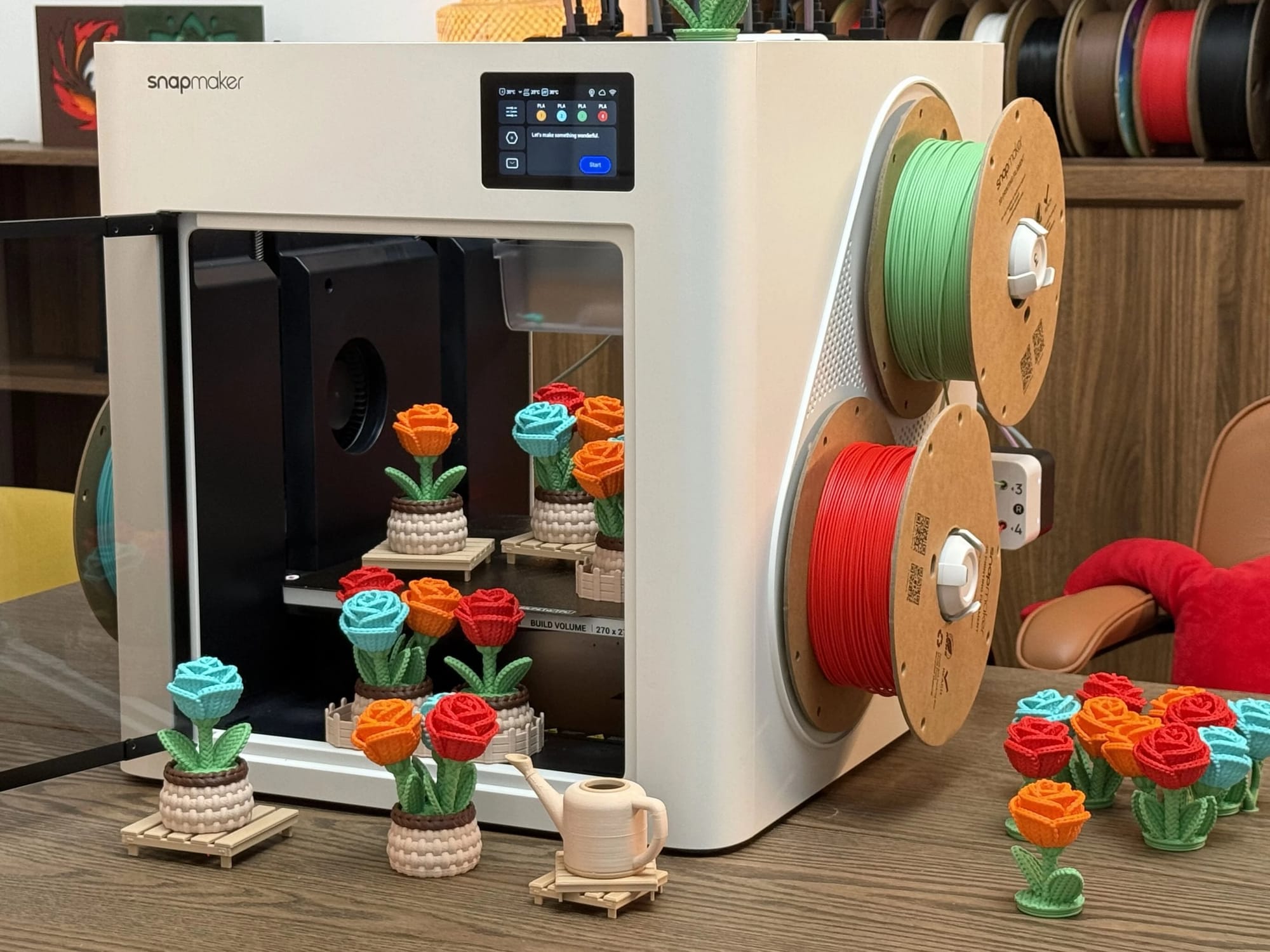
 Snapmaker U1 3D Printer
$699 Official US Black Friday price · Nov 12, 2026 (was $999); product page currently says Unavailable
Shop Product
ABS, ASA, nylon, or reinforced composites?
This is where the purchase risk becomes more serious. Snapmaker lists expanded ABS, ASA, PA, and PC support with the optional U1 Top Cover; abrasive reinforced materials also require appropriate hardened components. Flashforge markets the enclosed Creator 5 Pro for engineering materials, including supported carbon-fiber-filled filaments. [1][2]
Compatibility lists are not tested guarantees. Check filament grade, nozzle, drying needs, and chamber conditions for your part; nylon and TPU grades vary.
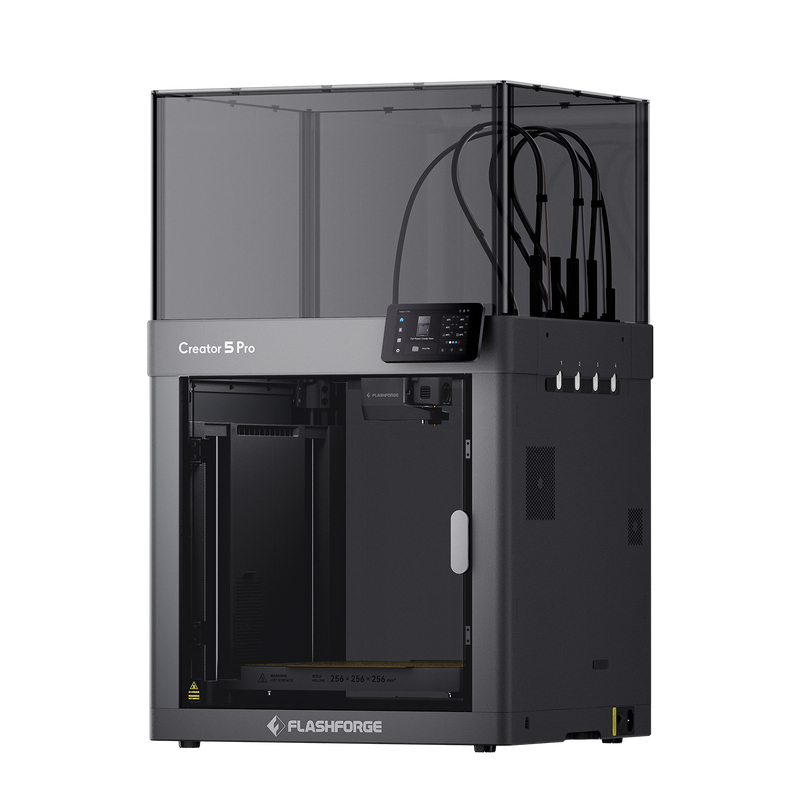 Flashforge Creator 5 Pro
$749 Official US displayed price · Nov 20, 2026 (was $949); ShopMy checkout may differ
Shop Product
Is the U1 Top Cover Equivalent to the Pro’s Heated Chamber?
No. Snapmaker describes the U1 Top Cover as retaining heat passively, with chamber temperatures up to 50°C. Flashforge specifies an actively heated chamber up to 65°C for the Creator 5 Pro. Heat retention and active temperature control are different capabilities; these published limits are not side-by-side print-quality measurements. [4][2]

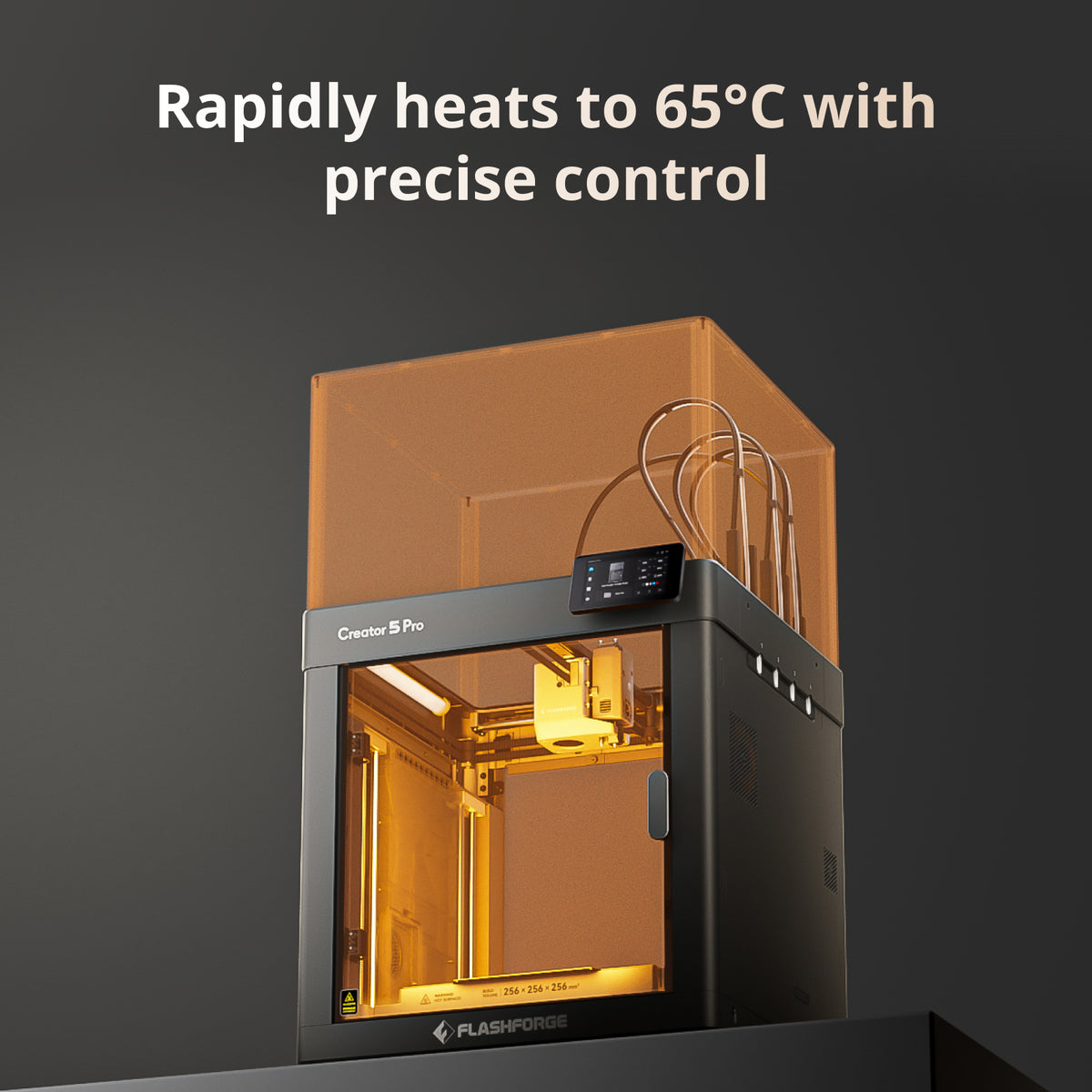
If you mainly print PLA and occasionally experiment with ABS, the covered U1 may match Snapmaker’s stated configuration requirements. If ABS, ASA, or engineering parts are your main workload, the Pro’s integrated heating is a clearer hardware advantage. Neither built-in filtration system makes printing emissions risk-free; appropriate ventilation still matters.
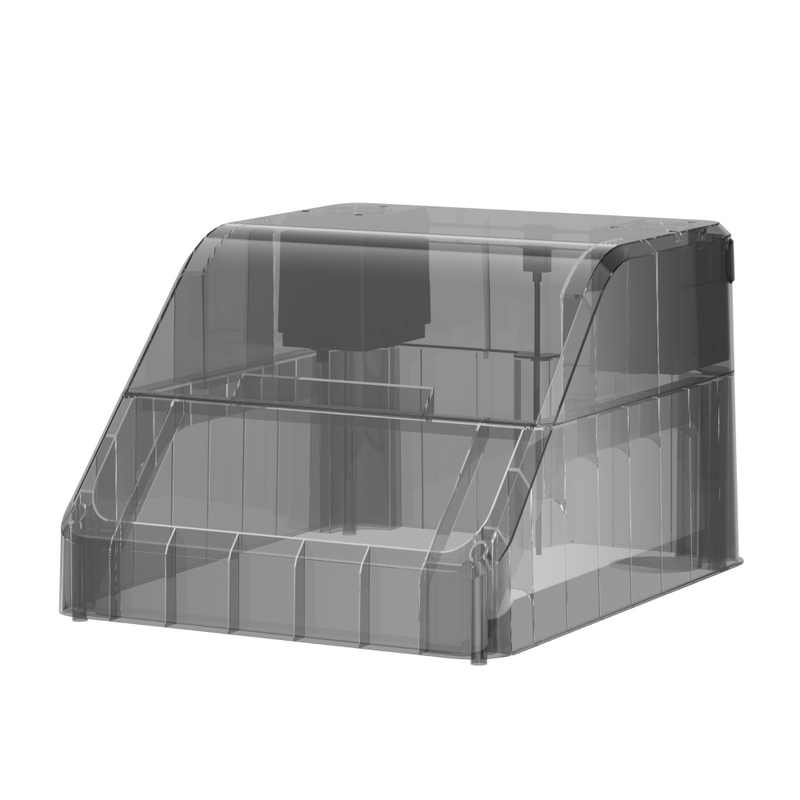 Snapmaker U1 Top Cover
$149 Official US Black Friday listing · Nov 12, 2026 (was $249); product page currently says Pre-Order / Unavailable
Shop Product
How Much Will the Complete Setup Cost?
US Black Friday listed prices checked November 12, 2026 show how accessories change the total cost: [3][4][2]
| Cost | Snapmaker U1 | Creator 5 Pro |
|---|---|---|
| Printer | $699 | $749 |
| Enclosure | Top Cover +$149 | Included |
| Listed total | $848 with cover | $749 at the displayed product-page price |
At displayed Black Friday prices, U1 plus $149 Top Cover totals $848, which is $99 more than the Creator 5 Pro’s $749 listed price, but the U1 and Top Cover are currently marked Unavailable on their official US product pages; this is a price comparison, not a purchasable bundle quote. U1 still lacks active chamber heating. The earlier $100 in-cart offer is not separately displayed on the current Creator 5 Pro product page. Any checkout offer has not been independently verified and may not carry over to affiliate destinations. Taxes, shipping, filament dryers, and required nozzles are excluded, so build a shopping list around your three most-used filament grades rather than comparing base prices alone.
Will Four Toolheads Save Time and Filament?
Both printers use separate toolheads rather than repeatedly flushing different colors through one shared nozzle. That can reduce purge waste, but low purge does not mean zero material waste: prime towers and startup extrusion may still consume filament. In one independent Creator 5 Pro four-color Benchy test, Notebookcheck recorded 36 g of waste with default settings and 8 g after optimization. These are test-specific results. [5]
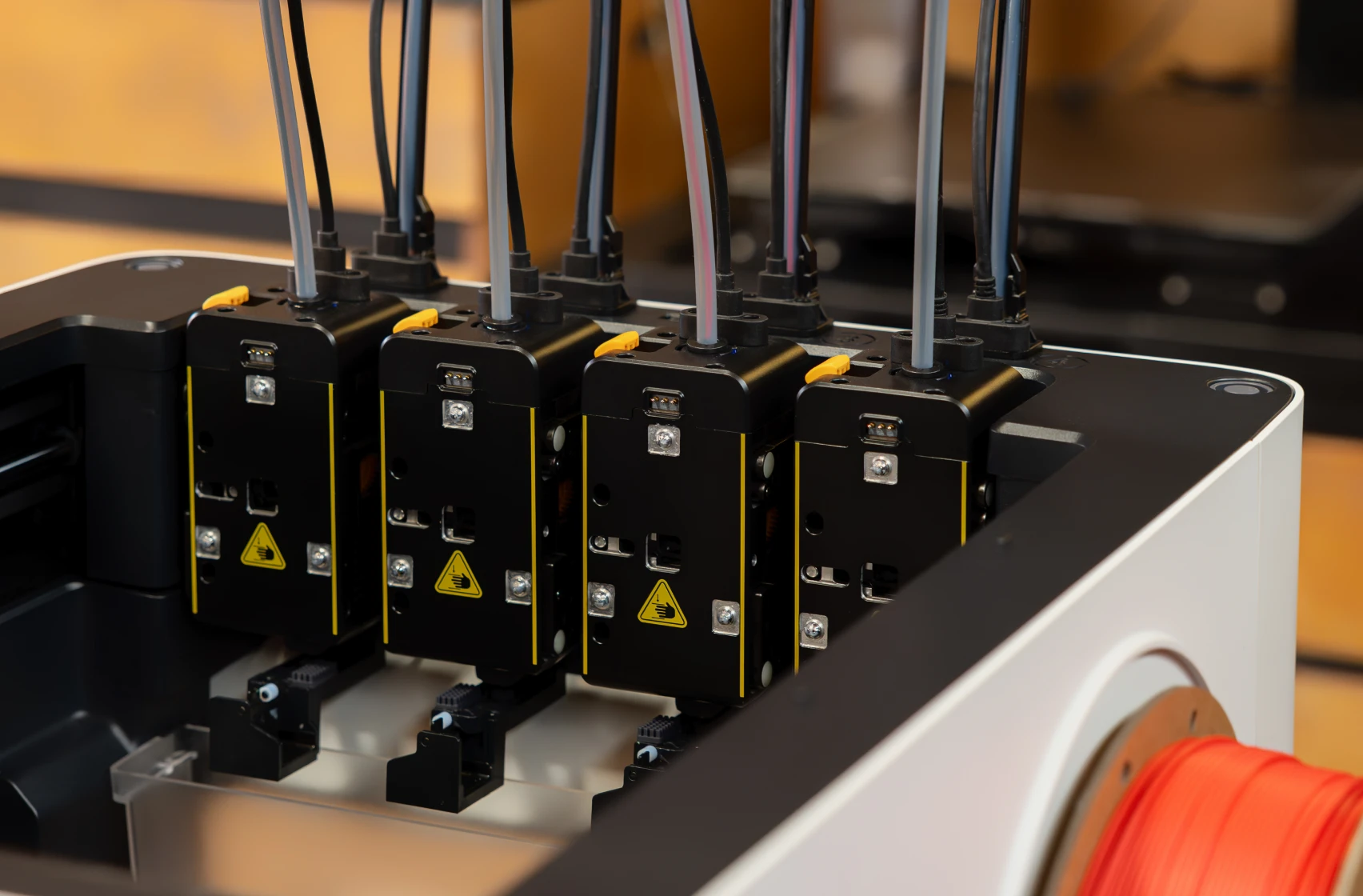
Tom’s Hardware reported 4.4 g of prime-tower material in a particular U1 three-color print with 90 swaps. The model, settings, and procedures differ from Notebookcheck’s test, so comparing 4.4 g directly with 8 g would not establish a winner. [6]
Advertised speeds need context: Flashforge’s 600 mm/s is maximum travel speed; Snapmaker’s 500 mm/s is maximum toolhead speed. Completion depends on slicing, calibration, materials, and tool changes. [2][1]
What Is Each Printer Like to Own?
The U1 offers automatic loading, a 270 × 270 × 270 mm build volume, and Klipper-based firmware. The Pro has a 256 × 256 × 256 mm build volume, manual loading, and proprietary firmware. These differences affect convenience, available model size, and software flexibility—not an automatic ranking for print quality. [1][2]
What about toolhead failures and calibration?
Some U1 owners report recurring toolhead-parking problems; a Creator 5 Pro owner documented an E0143 pickup error and a calibration-based fix. Other Creator 5 Pro owners describe successful operation, while a person reporting ownership of both models preferred aspects of the Pro but criticized U1 connectivity. [7][8][9][10]
These are individual reports, not measured failure rates. They justify checking calibration guidance, support access, and return terms, but cannot prove that one machine is statistically more reliable. An independent Pro review also identifies manual filament loading and preparation as workflow trade-offs. [11]
If reliability and ownership concerns are central to your decision, our Snapmaker U1 review examines toolhead issues, software and real owner reports in more detail.
Which Printer Should You Actually Choose?
Choose Snapmaker U1 if…
Your work is primarily everyday multicolor PLA/PETG, automatic loading and extra build volume matter, and you do not routinely need active chamber heating. Its lower bare-printer price is useful only if the missing extras are not important to you. [1]
Snapmaker U1 3D Printer
$699 Official US Black Friday price · Nov 12, 2026 (was $999); product page currently says Unavailable
Shop Product
Choose Flashforge Creator 5 Pro if…
You regularly need supported ABS, ASA, or reinforced engineering-material workflows and value the included actively heated enclosure more than automatic spool loading. Confirm your exact filament’s recommended equipment before checkout. [2]
Flashforge Creator 5 Pro
$749 Official US displayed price · Nov 20, 2026 (was $949); ShopMy checkout may differ
Shop Product
Still undecided? Write down your materials, required part dimensions, and complete accessory cost. If neither documented configuration meets those needs, do not force a purchase merely because both offer four toolheads.
Questions to Settle Before Checkout
Can the U1 print ABS without the Top Cover?
Snapmaker’s published expanded-material guidance associates ABS and ASA support with the optional Top Cover. Follow the exact material and equipment recommendations instead of assuming an uncovered printer gives equivalent results. [1]
Does the Creator 5 Pro load filament automatically?
No. Filament is loaded manually; tool switching during printing is automatic. The distinction matters if you change spools often. [2]
Sources & References
- Snapmaker — U1 official specifications. Build volume, loading, materials, firmware and published speeds. View source
- Flashforge — Creator 5 Pro official product page. Chamber heating, supported materials, specifications and loading. View source
- Snapmaker — U1 US store listing. Recorded base-printer pricing. View source
- Snapmaker — Official U1 Top Cover. Optional accessory price and passive chamber claims. View source
- Notebookcheck — Creator 5 Pro tested. Recorded Benchy prime-tower and waste figures. View source
- Tom’s Hardware — Snapmaker U1 review. Specific multicolor waste measurement. View source
- Snapmaker community forum. U1 toolhead-parking report. View source
- Reddit, r/FlashForge. Creator 5 Pro E0143 pickup/calibration report. View source
- Reddit, r/FlashForge. Positive Creator 5 Pro owner experiences. View source
- Reddit, r/FlashForge. Owner reporting experience of both printers. View source
- FauxHammer — Creator 5 Pro review. Software, loading and preparation trade-offs. View source
- Snapmaker US — Black Friday 2026. U1 $699 and Top Cover $149 US sale prices. View source
- Flashforge — Black Friday 2026. Flashforge sale dates, current Creator 5 Pro product page and cart-offer qualification. View source
 ✓